Everyday September 2026
5 apps for the moment you sit down to work
The moment you sit down is the one the day is most likely to slip away in, because nothing has decided what comes first yet. These five settle it: today’s tasks and appointments on one list, a timer that keeps rolling while you work, a soundscape to sit inside, a place for the scraps that come up, and the next meeting visible without unlocking anything.
The apps for the moment you sit down to work are Things 3, Focus Train, Portal, Tot Pocket and Notion Calendar. I built Focus Train; the other 4 are other developers’ apps.

MiaAppLog— an iOS developer who reviews other people’s apps
Published September 2026 · apps and prices last checked 13 October 2026

Things 3
★★★★★★★★★★4.0 · $9.99 · Productivity · App Store 4.8 (27,989)
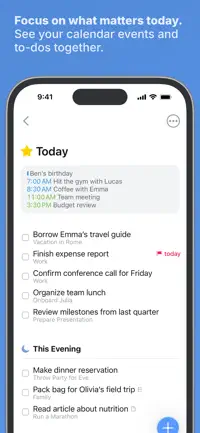
Today's to-dos and calendar events on one list, so you know where to start.
Skip it if you plan alongside other people or want reminders tied to a place — it has neither shared lists nor location alerts, and each platform is a separate purchase.

Focus Train Editor’s pick
★★★★★★★★★★4.5 · Free · Productivity · App Store 5.0 (5)
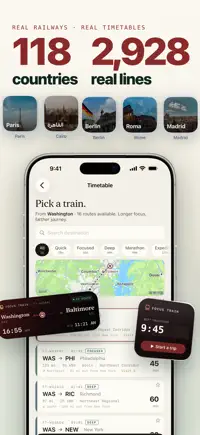
Board a train that rolls while you work; look away and it simply waits.

Portal
★★★★★★★★★★4.0 · Free · Health & Fitness · App Store 4.8 (10,240)
Find your flow by the sea without leaving your desk, in spatial audio.
Skip it if you only want a sound to work to — most of the scenes sit behind a subscription or a steep lifetime price, which is what nearly every one-star review is about.


Tot Pocket
★★★★★★★★★★4.0 · Free · Productivity · App Store 4.4 (237)
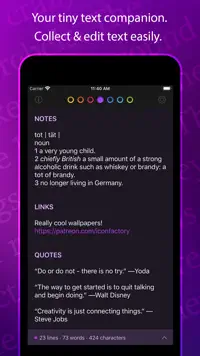
Seven color-coded dots for scraps of text, synced to your Mac.
Skip it if you need your notes on every device — the iPhone and Mac versions are bought separately, and reviewers report sync lagging behind and, now and then, notes going missing.
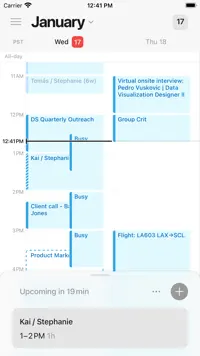
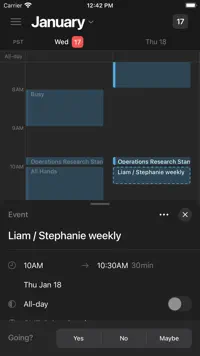
Notion Calendar
★★★★★★★★★★4.0 · Free · Productivity · App Store 4.7 (7,567)
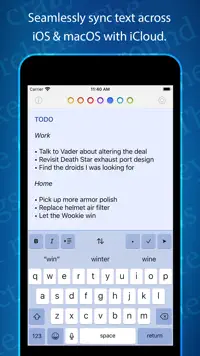
Google Calendar, plus a lock-screen widget that shows what's coming next.
Skip it if you plan mostly from your phone — reviewers find the mobile app slow and limited next to the desktop one, and it wants wide access to your Google or Outlook account before it does anything.
Focus Train is one of mine — everything else on this list is someone else’s app. How that works.
The video version
Questions
What are the apps for the moment you sit down to work?
The apps for the moment you sit down to work are Things 3, Focus Train, Portal, Tot Pocket and Notion Calendar. Each one had to do a different job in this particular moment — where two apps work the same way, only one of them makes the list.
Which of these apps is free?
Focus Train, Portal, Tot Pocket and Notion Calendar are free to download on the App Store. The others show their price on each card. "Free" on the App Store often means a free download with paid extras inside.
Which of these apps did the author build?
Focus Train — I built it. The other 4 are other developers’ apps, and none of them knew they were going to be on this list. There are no affiliate links and no paid placements anywhere on the site.
More in Everyday
- 5 apps to check before you step outsideRainViewer · Sunshine · Transit · IQAir AirVisual · My Pollen Forecast
- 7 iPhone apps better than the defaultsThings 3 · Focus Train · Fantastical · Bear · MusicPal · CARROT Weather · Spark Mail
- 5 apps for the first ten minutes of the dayAlarmy · 3Things Pal · grug · Water tracker Waterllama · Streaks
- 5 apps for a long train rideTrainline · Focus Train · Amazon Kindle · Duolingo · NYT Games