Work September 2026
6 apps for the thinking you do before the to-do list
A to-do list is where thinking ends up, not where it starts — write the tasks too early and you have organised a problem you have not understood yet. These six each hold a different stage of the thinking before it: the thought you catch before it goes, the canvas it gets spread on, the map that turns into an outline, the model that gives it a shape, the reading it came out of, and the notes that keep it.
The apps for the thinking you do before the to-do list are MindNode, Framework, Drafts, Freeform, Readwise Reader and Obsidian. I built Framework; the other 5 are other developers’ apps.

MiaAppLog— an iOS developer who reviews other people’s apps
Published September 2026 · apps and prices last checked 6 October 2026

MindNode
★★★★★★★★★★4.0 · Free · Productivity · App Store 4.6 (314)
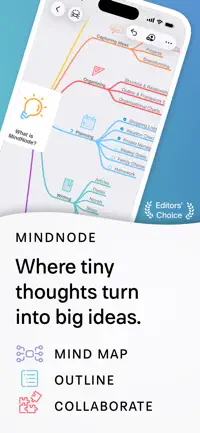
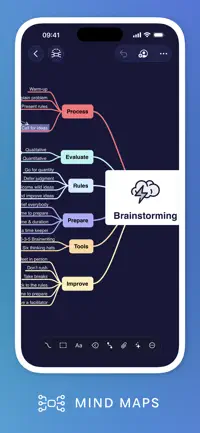
Scattered thoughts go on an infinite canvas as a mind map, then flip to Outline view and the same map becomes a structured list. Nodes can turn into tasks when you're ready.
Skip it if you rely on files in iCloud Drive or the Files app — the current version keeps maps inside its own storage, and most of the features beyond a basic map need the Plus subscription.

Framework Editor’s pick
★★★★★★★★★★4.5 · Free · Business · App Store 5.0 (6)
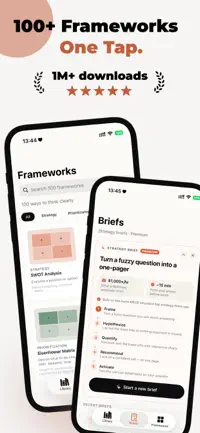
For when you know the question but not the shape of the answer. Pick one of 100+ thinking models — Premortem, Five Forces, 10-10-10 — and the AI fills it in, then pressure-tests your logic.

Drafts
★★★★★★★★★★4.0 · Free · Productivity · App Store 4.8 (10,800)
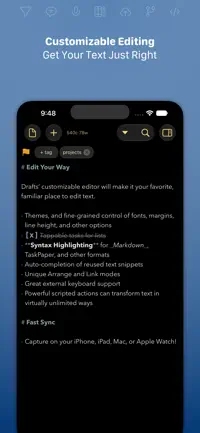
Opens straight to a blank page with the keyboard up. Type the thought first, decide later where it goes — actions send the text on to Reminders, mail, a file, anywhere.
Skip it if you want every feature for a one-off price — themes and editing your own actions sit behind a subscription, and recent updates have broken text selection and undo for some reviewers.

Freeform
★★★★★★★★★★4.0 · Free · Productivity · App Store 4.5 (445,322)
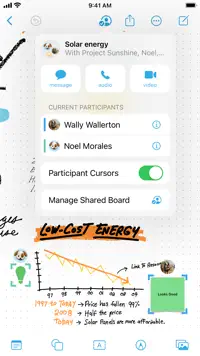
Apple's flexible canvas. Sketch with a finger or Pencil, drop in photos, PDFs, links and stickies, draw diagrams from 700+ shapes. Up to 100 people can brainstorm on one board.
Skip it if you need to keep many boards in order — there are no folders, and reviewers report boards lost after syncing between devices, plus Pencil lag once a canvas gets large.


Readwise Reader
★★★★★★★★★★4.0 · Free · Productivity · App Store 4.6 (584)
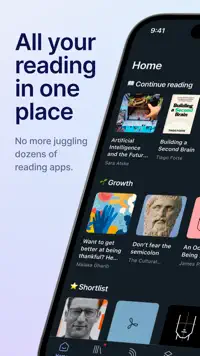
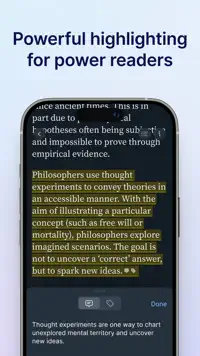
All the reading in one place: articles, newsletters, RSS, PDFs, EPUBs. Highlight as you go, so what you read this month is there when you need it.
Skip it if you mostly read long EPUBs or PDFs in it — reviewers report crashes a few minutes into long files and progress not saving, and there are no reading stats.

Obsidian
★★★★★★★★★★4.0 · Free · Productivity · App Store 4.5 (2,738)
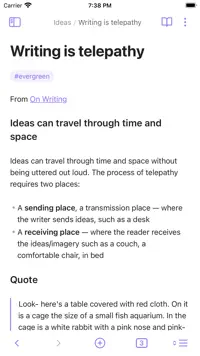
A knowledge base on a folder of plain-text Markdown files, yours forever. Link notes to each other and the graph view shows how your thinking connects.
Skip it if your notes live in Dropbox, OneDrive or a network folder — the iOS app opens vaults only from iCloud or the paid Obsidian Sync, and reviewers report iCloud syncing losing or duplicating notes.

Framework is one of mine — everything else on this list is someone else’s app. How that works.
The video version
Questions
What are the apps for the thinking you do before the to-do list?
The apps for the thinking you do before the to-do list are MindNode, Framework, Drafts, Freeform, Readwise Reader and Obsidian. Each one had to do a different job in this particular moment — where two apps work the same way, only one of them makes the list.
Which of these apps is free?
All 6 are free to download on the App Store; some sell extras or a full version inside the app.
Which of these apps did the author build?
Framework — I built it. The other 5 are other developers’ apps, and none of them knew they were going to be on this list. There are no affiliate links and no paid placements anywhere on the site.