Focus August 2026
7 apps for the first week back
The first week back is when the term’s habits get set, before anything is actually due. These seven cover the three things that decide how it goes: knowing where you have to be, getting the phone out of the way, and making the studying stick.
The apps for the first week back are Class Timetable, Focus Train, Cape, Roots, BlockSite, Brainscape and Dark Noise. I built Focus Train; the other 6 are other developers’ apps.

MiaAppLog— an iOS developer who reviews other people’s apps
Published August 2026 · apps and prices last checked 13 October 2026

Class Timetable
★★★★★★★★★★4.0 · Free · Education · App Store 4.7 (3,007)
Class Timetable draws your week of classes as coloured blocks, with homework attached to each one and a home screen widget for whatever is next.
Skip it if your timetable has overlapping sessions — it will not hold two at once, and entries losing their times is a recurring report.


Focus Train Editor’s pick
★★★★★★★★★★4.5 · Free · Productivity · App Store 5.0 (5)
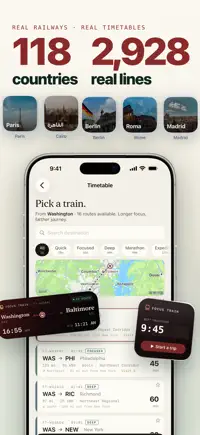
Focus Train has no checklist, no setup and no streak to protect. The ticket is already printed, so the only thing left is to get on, and every session becomes a route you can look at later.

Cape
★★★★★★★★★★4.0 · Free · Utilities · App Store 4.6 (15,429)
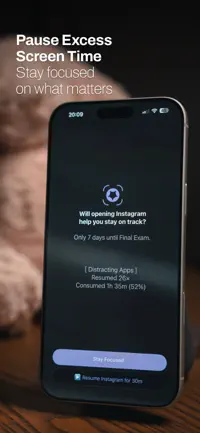
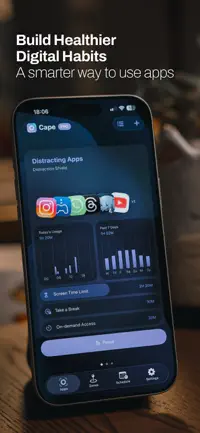
Rather than hard-blocking, Cape pauses an app once you hit your limit and gives it back later. Built for people who struggle with attention or ADHD.
Skip it if you need it to find every app on your phone — reviewers keep hitting a picker that comes back empty, and updates have a history of breaking what worked.
Roots
★★★★★★★★★★4.0 · Free · Productivity · App Store 4.8 (2,791)
Roots gives you app limits, scheduled downtime and a daily balance score, plus a one-tap Block Now for the moment you decide you are done scrolling.
Skip it if you need the blocking to hold — reviewers describe it working well and then quietly stopping, with the subscription asking to be bought a second time.


BlockSite
★★★★★★★★★★4.0 · Free · Productivity · App Store 4.2 (6,207)
BlockSite blocks websites and apps, free, with a scheduler for the hours you want kept clear and a password lock so you cannot casually undo it.
Skip it if you need blocking that holds on iPhone — reviewers report it working on a desktop and not on the phone, and the setting that opts you out of data sharing is buried.


Brainscape
★★★★★★★★★★4.0 · Free · Education · App Store 4.8 (21,467)
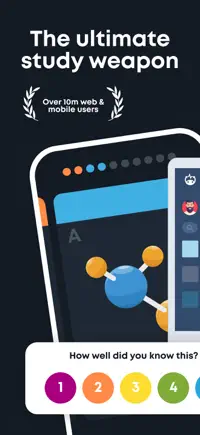
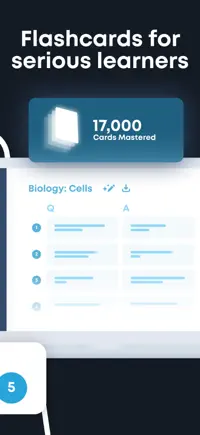
Brainscape has you rate how well you knew each card from 1 to 5, and the ones you rated low come back sooner. Build them from your own notes or a PDF.
Skip it if you are not paying: the free tier caps you at around 25 cards a day, which is the wall most reviewers hit first.
Dark Noise
★★★★★★★★★★4.0 · Free · Health & Fitness · App Store 4.8 (3,682)
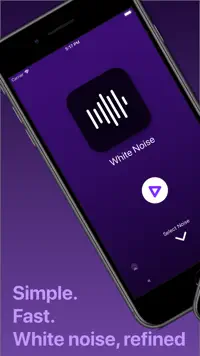
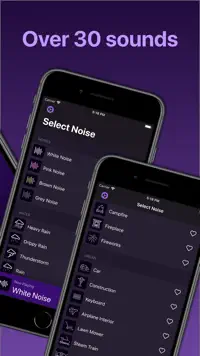
Dark Noise carries 50+ ambient sounds you can layer into custom mixes, with Shortcuts integration so one tap or your voice starts the one you want.
Skip it if you want to try before paying: the price appears only once you have installed it, and reviewers report the app losing track of a subscription they already hold.
Focus Train is one of mine — everything else on this list is someone else’s app. How that works.
The video version
Questions
What are the apps for the first week back?
The apps for the first week back are Class Timetable, Focus Train, Cape, Roots, BlockSite, Brainscape and Dark Noise. Each one had to do a different job in this particular moment — where two apps work the same way, only one of them makes the list.
Which of these apps is free?
All 7 are free to download on the App Store; some sell extras or a full version inside the app.
Which of these apps did the author build?
Focus Train — I built it. The other 6 are other developers’ apps, and none of them knew they were going to be on this list. There are no affiliate links and no paid placements anywhere on the site.
More in Focus
- 6 apps for studying on an iPadNotability · Focus Train · Quizlet · Photomath · 3Things Pal · Merriam-Webster
- 5 apps for teaching yourself somethingBrilliant · Focus Train · AnkiMobile Flashcards · Goodnotes · Habitica
- 5 apps for what Screen Time won't fixone sec · Focus Train · Blank Spaces · ATracker · Instapaper